
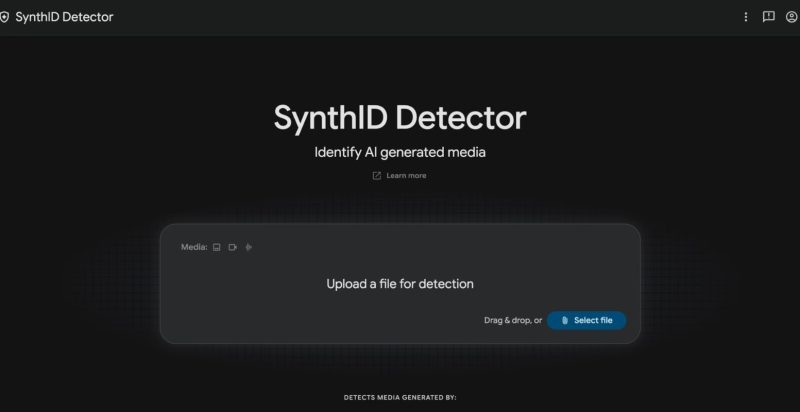
Google has made its SynthID Detector available globally in English, after an earlier version that was limited to media professionals. Anyone can now upload a file to a free website and see whether it carries Google’s hidden watermark.
How SynthID Works
SynthID embeds an imperceptible digital watermark directly into AI-generated media as it is created. You cannot see or hear it, but the detector can read it. Google says it has watermarked over 180 billion images and videos, along with 240,000 years of audio. According to Google’s help page, the mark usually survives re-scaling, re-colouring or compression.
What You Can Upload
The tool accepts common formats including JPG, PNG, WEBP, HEIC and GIF images, MP4, MOV and WEBM video, and MP3, WAV, AAC and M4A audio. For audio, it can point to the specific segments where a watermark was found. For images, it highlights the areas where a watermark is most likely.
Beyond Google’s Own AI
The detector is no longer limited to Google-made content. It now flags media made with tools from OpenAI, NVIDIA, Kakao and, soon, Apple. Google says its verification features in Search, the Gemini app and Chrome already handle over a million requests daily.
The Big Limitation
A clean result does not mean a file is real. The detector can miss fakes made with tools that do not use SynthID, and it does not say whether AI made a file or only edited it. When PCWorld tested a viral puppy video, the result was only that no watermark was found, which does not prove it is real. Google has also admitted the technology can be circumvented.
How to Use It Wisely
Treat SynthID as one signal, not a final verdict. Check the source of a file, look for a credible original, and use other verification methods alongside the tool, especially for sensitive or viral content.